
Customer records
Keep customer details together.
Nexis Business Os
Online booking and client management for independent consultants and small service teams. Share your services, let clients choose a time, and organise the next task in Nexis Business Os.
Starter $49.99 USD / month. AI tokens are billed separately from your subscription. AI usage is not included in these monthly prices.
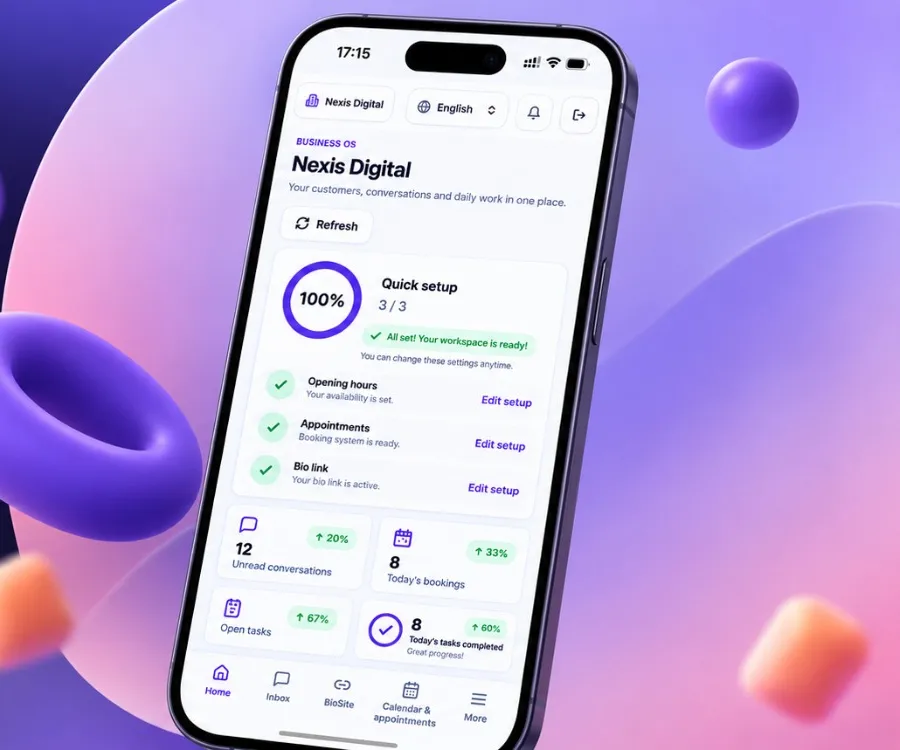
Start here if you sell appointments or consultations and currently move client details between messages, a diary and a spreadsheet.
Nexis Business Os helps organise the enquiries you receive; it does not supply leads or guarantee sales. Online payment collection and Google Calendar or Outlook synchronisation are not included in this workflow.
See the consultant booking workflowNexis Business Os connects online appointments with customer records and team tasks. A customer can choose a service and available time; your team can then review the appointment, find the customer and assign the next action in one workspace.
| Your starting point | The Nexis Business Os workflow | What to check |
|---|---|---|
| Clients ask how to book | Share a booking link with your services, prices and available times. | Test service duration, opening hours and staff availability. |
| Enquiries arrive from your social profile | Use a Business Link to present services, products, contact options and booking. | A contact link opens a conversation; it does not connect a messaging account. |
| Your team loses track after an appointment | Review the customer record and assign a follow-up task. | Agree who owns the next action and when it should happen. |
| You already use Pipedrive | After setup, supported new enquiries and bookings can flow from Nexis Business Os to Pipedrive. | This is one-way. Historical imports and two-way synchronisation are not included. |
Online payment collection is not included. Verify external integrations separately. WhatsApp QR inbox connection is still being prepared and is not available for customer use.
Start 7-day free trialA booking in one app. Customer details in another. A follow-up someone still needs to remember. We bring those everyday tasks into one workspace.
Start with customer records, services and bookings. Add a bio page, team tasks and the connections your business needs. CRM is part of the platform; your whole working day is the focus.
Explore features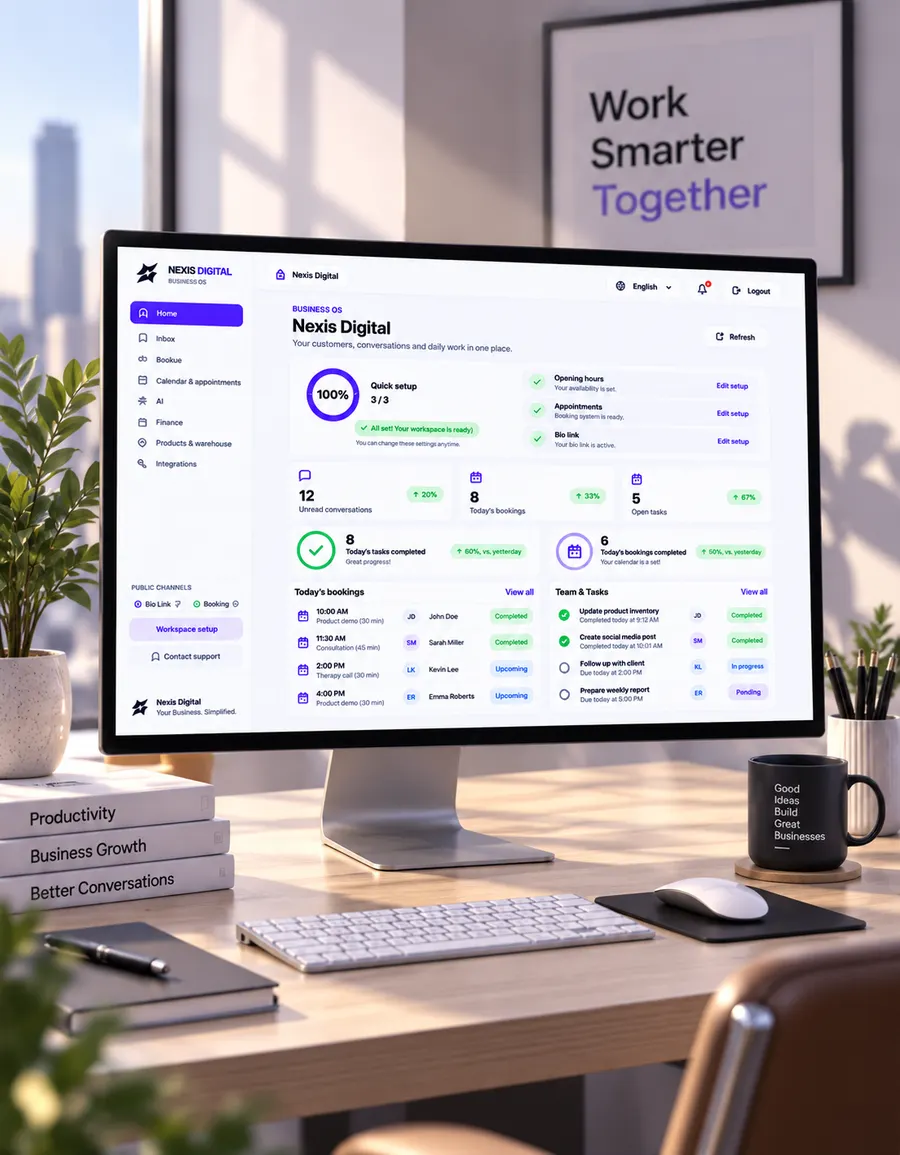
Nexis Business Os
Give your service business a clear daily workflow. Keep booking details, customer conversations and team tasks within reach, with a public bio page that helps customers take the next step.
Keep customer details together.
Let customers book your services.
Organise connected customer conversations.
Prepare replies using your business knowledge.
Share services, products and review links.
Give each task a clear owner.
Nexis Business Os
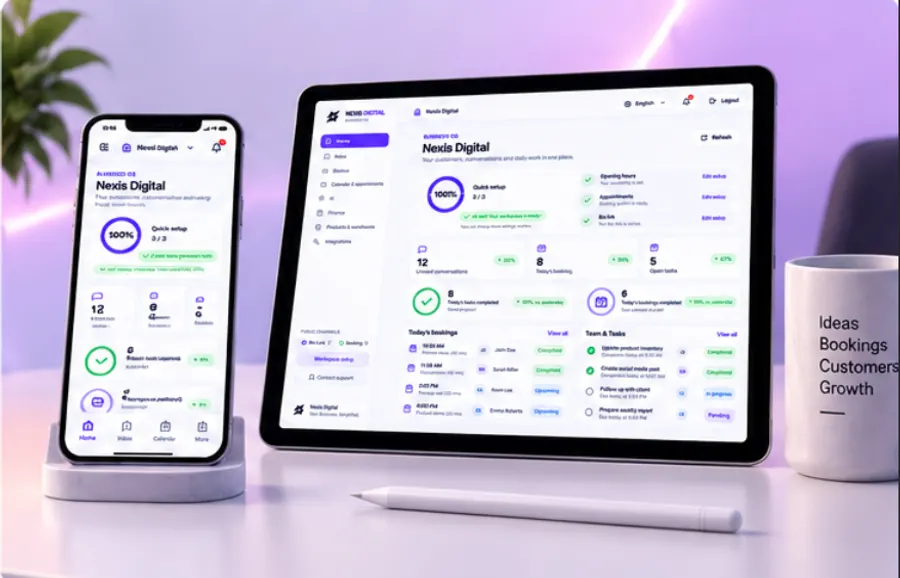
Use the browser-based workspace on a phone, tablet or computer. Check the booking schedule, review conversations and keep track of work when you move between appointments.
Nexis Business Os + PIPEDRIVE
The Nexis Business Os Pipedrive connector is designed to send new enquiries and booking activities from Nexis Business Os to your authorised Pipedrive account. It is a one-way connection, with explicit activation after account setup.
Let customers choose a service and available time. Learn how Nexis Business Os bookings connect to customer records, your internal calendar and team follow-up.
Share one Nexis Business Os business page for services, products, contact details and appointment booking. Use it in social profiles, on your website or behind a QR code.
CHOOSE YOUR WORKFLOW
For independent professionals
$49.99USD / month
Start 7-day free trialFor growing teams
$149.99USD / month
Start 7-day free trialPrivate pilot for agencies. We agree client workspaces, WhatsApp capacity and onboarding with you before activation.
Contact us
Contact usAI tokens are billed separately from your subscription. AI usage is not included in these monthly prices.
7 days free. No payment at signup. Subscription required afterward.
Nexis Business Os is a customer journey and business operations platform for service businesses. A public business link brings visitors from social profiles, websites, search, referrals or QR codes to services, products, contact options and booking. Supported interactions connect with customer records, conversations, calendars and follow-up workflows.
No. CRM is one part of Business OS, alongside bookings, a bio page, team tasks, an inbox and AI assistance.
Service businesses that manage appointments, customer conversations and daily team work.
Starter is $49.99 and Pro $149.99 USD per month. Agency is available by enquiry as a private pilot, with scope and pricing agreed before activation. AI tokens are paid separately.
Create an account for a 7-day free trial. A subscription is required afterward.
WhatsApp inbox connection by QR code is being prepared. It is not available for customer use yet. Contact links remain separate from a connected inbox. Instagram DM connector code is implemented; customer activation requires Meta access, configuration and live delivery verification. Threads messaging is not available. A social-profile link is separate from an inbox connection.